

From Vladimir Nagin — founder of LeadUp AI, over three years working with AI agents, trained 500+ entrepreneurs in business automation.
This article is part of the Hermes Agent series. Start from the beginning: How Much Is an Hour of Your Time: AI Assistant for Executives.
Corporate memory is the most expensive invisible asset of most companies. It lives in the heads of two or three key people: the founder, the COO, the long-tenured assistant. They remember what agreements were made with a client two years ago, why a certain partner was turned down last quarter, which mistakes were already tried — and didn't work.
When such a person leaves — the company loses part of its memory. When you try to explain the context of your business to an AI assistant — you hit the same wall. A new employee takes months to fully ramp up. A classic chatbot — every session starts from zero.
The LLM wiki concept, published by Andrej Karpathy in April 2026, solves exactly this problem. Not "better," not "more convenient," but fundamentally — giving the AI agent stable corporate memory that it maintains itself.
In this article — what LLM wiki is, how it differs from the familiar RAG, and how in three weeks your agent starts knowing your business better than a new employee.
Where the idea came from
Andrej Karpathy — former Director of AI at Tesla, one of the co-founders of OpenAI. For a long time worked independently; in May 2026 joined Anthropic — probably the most prominent transition in the industry in the past year.
On April 3, 2026, Karpathy published the LLM Knowledge Base concept — what quickly came to be called LLM wiki in everyday use:
"Andrej Karpathy is the former Director of Artificial Intelligence at Tesla, and he's a co-founder of OpenAI… He published a concept that this is not RAG, not document search. It's a wiki, like Wikipedia, only for your AI agents." — Vladimir Nagin
A few days after publication the idea was built into Hermes Agent as a standard skill — one of those 118+ available immediately after installation:
"After April 3rd he published his concept — LLM Knowledge Base… And in just a few days this concept was integrated into Hermes." — Vladimir Nagin
An important caveat here. Karpathy himself has not publicly endorsed or recommended Hermes. But the LLM wiki idea lives in Hermes as part of the standard skill set — this is a verifiable fact, repeatable by anyone.
How LLM wiki differs from RAG
If you've already worked with AI agents on corporate data, you've likely heard of RAG — Retrieval-Augmented Generation. This is the most common way to give AI the context of your business: you upload documents to a special storage, and with each request the agent searches for relevant pieces and mixes them into its answer.
RAG is a working technology. But it has a fundamental limitation:
"Important distinction from RAG: in our [RAG] knowledge is searched anew with every request. Here [in LLM wiki] it is compiled once and accumulated. Any contradictions are noted there, and the synthesis reflects everything you've fed the agent." — Vladimir Nagin
In RAG the agent doesn't "know" your company — it searches it anew each time in the storage. In LLM wiki the agent truly maintains its own picture of your business. With cross-references between concepts, with resolved contradictions, with a synthesis of data from all weeks of work. This is no longer search — this is memory.
An analogy: imagine you have a library (RAG) and you have a personal assistant who has spent three years reading that library and made their own notes (LLM wiki). When you need a quick answer — the assistant's notes respond tens of times faster than searching through the library.
Three memory layers
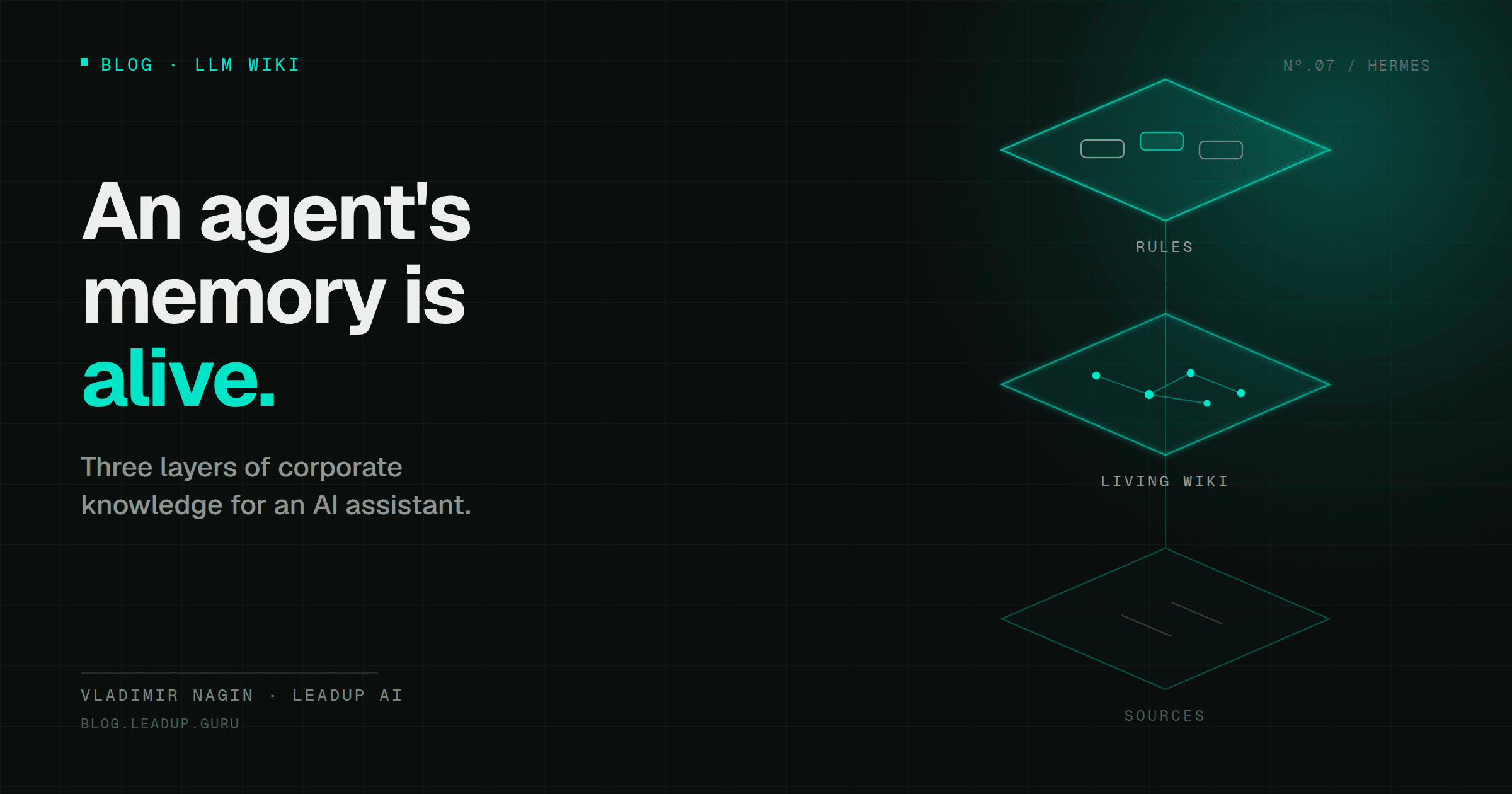
LLM wiki is structured as three layers, each with its own role.
Layer 1: Source materials
"Our first layer is the source materials. These are various letters, meetings, PDFs, some exports — only you add them. Hermes reads them, but never edits. They are immutable. This is the 'immutable truth' you can always refer back to." — Vladimir Nagin
This is the primary factual material: client correspondence, meeting notes, contracts, company policies, CRM exports, PDFs and presentations. Hermes only reads these. Doesn't edit, doesn't overwrite, doesn't lose.
This immutability is critical: when a disputed situation arises three months from now, you or the agent can go back to the original document and verify what was actually written.
Layer 2: Living knowledge base (the wiki itself)
"The second layer is exactly the living knowledge base. The wiki itself. Entity pages, concept pages, comparison pages. The agent maintains this one itself. It creates, updates, adds cross-references inside… This is essentially the corporate memory that usually lives in your head or in the heads of two or three key people on the team." — Vladimir Nagin
This is the heart of the system. Hermes itself creates pages for key entities of your business:
- Page "Client X": history of the relationship, agreements, key contacts, communication pattern.
- Page "Partner Y": history of cooperation, terms, agreements for the next period.
- Page "Product Z": positioning, audience, pricing policy, typical objections.
After each task Hermes updates the corresponding pages. Between pages — cross-references, like in regular Wikipedia.
Layer 3: Schema
"The third layer is the schema itself. These are the rules by which the agent maintains this wiki. Which entities, which tags, which structure. This file is the standard." — Vladimir Nagin
These are the rules of the game. Which page types are allowed, which tags are mandatory, how to name entities. This file you can edit by hand — and Hermes will start following the new rule from the next session.
The channel where we break down real AI deployments
Cases, guides and new models — short and to the point.
How the agent maintains pages
A good image for understanding — a human assistant who never forgets:
"Say you have a new human assistant. An employee who every day — you tell them something new, and every day they don't forget about it, but instead write some general note and connect it to what they already know. That is, after three weeks they should have a complete picture of your company." — Vladimir Nagin
And the key result:
"After three weeks the agent knows your business better than a new employee." — Vladimir Nagin
This is an empirical observation from practice. After a week — the agent has a basic map of key clients and projects. After two — it understands communication patterns. After three — it's capable of handling 80% of typical situations on its own.
A hybrid approach: LLM wiki + RAG
LLM wiki doesn't cancel RAG. They have different strengths:
- LLM wiki — fast, connected, with contextual understanding. Ideal for the agent's day-to-day work.
- RAG — cheaper to maintain, works better with very large document corpora.
In Hermes the standard recommendation — a hybrid approach:
"There's a hybrid approach — when we use LLM wiki and also do RAG in parallel." — Vladimir Nagin
A practical template: operational corporate memory (clients, regulations, decision patterns) — in LLM wiki; large archives (thousands of letters over several years, historical contracts) — in RAG.
Practice: how to "feed" the agent context in the first week
If you're just launching Hermes, the path to a properly working LLM wiki looks like this.
Days 1–2. Add the source materials. Take four key folders:
- "Clients" folder — cards for 10–20 key clients, correspondence history for the past year.
- "Team" folder — job descriptions, contact details, areas of responsibility.
- "Product" folder — descriptions of your services or products, policy, pricing.
- "Contracts" folder — current active contracts.
This is layer 1 — source materials. Hermes will start reading them.
Days 3–4. Launch observation mode. Connect Hermes to email and calendar. Enable observation mode — let it just watch how you work. Hermes will start creating the first pages in the second layer.
Days 5–7. Tune the schema. After a week open the schema file (third layer). Look at which pages Hermes created. Add what you're missing: "each client page should have a 'red flags' section," "each partner — a 'next meeting' field."
By the end of the second week — you have a working corporate memory. By the end of the third — Hermes really knows your business.
What changes for the executive
When LLM wiki really starts working — one simple thing changes: you stop being the "sole context holder." Any question about "how do we usually work with this client," "what did we decide last quarter" — the agent has an answer.
And — the most important thing over the long run — corporate memory stops being bound to a specific person. If a key employee leaves tomorrow, your business won't lose half its context. The context is already in the LLM wiki.
Where to start
- Launch Hermes (or another agent with LLM wiki support). Connect to email and calendar.
- Add source materials on the main directions: clients, team, product, contracts. Four folders is enough.
- Once a week go into the schema and adjust the maintenance rules. After a month you'll have your own corporate standard that the agent follows.
After three weeks — look at the pages Hermes has created. Chances are you'll see a piece of your own memory that used to exist only in your head.
Further in the series
- How Much Is an Hour of Your Time: AI Assistant for Executives — ROI calculation.
- Hermes Agent: The AI Assistant That Learns From Your Decisions — how Hermes is built inside.
- Three Levels of AI Maturity: Where Are You and What to Do Next — reactive/proactive/autonomous.
- How Not to Burn Budget on AI Agents: Model Routing — tool map and savings up to 90%.
Vladimir Nagin — founder of LeadUp AI, author of the Neuromasterskaya 2.0 program. Over 500 entrepreneurs have completed his business automation courses.